Blog / World Cup Season: A Data Protection Guide for Travelers and Teams
The World Cup kicks off today. For many people, that means watching games together, being on the go, traveling, working remotely, or simply taking care of important tasks in between activities. Whether at a hotel, a café, the airport, or the office with colleagues, files are often shared quickly, devices are used more frequently on the go, and sensitive information is stored in the cloud.
In the process, data protection and IT security can easily take a back seat. A ticket is stored in the cloud, travel documents are saved on a smartphone, project files are shared with colleagues, or important documents are left unencrypted in a cloud folder. It’s certainly convenient. But it’s not automatically secure.
Whether you are traveling privately, working remotely, or coordinating files in a team, a few simple steps can help keep your data secure during the soccer frenzy. And that’s exactly where Cryptomator and Cryptomator Hub come in.
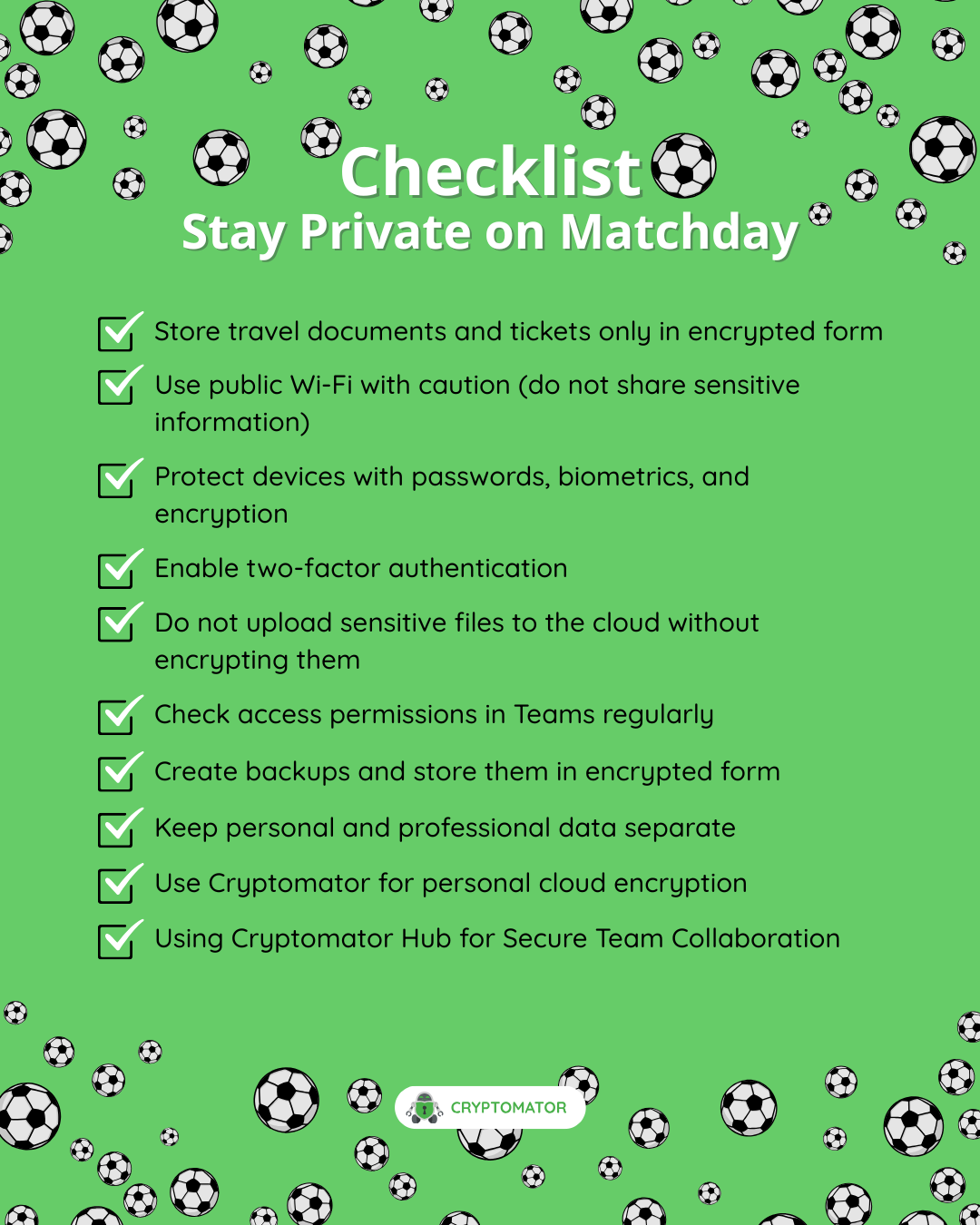
Why the Soccer Season Is a Good Opportunity to Improve Data Security
Major sporting events bring people together. At the same time, they often disrupt our daily digital routines: many people travel, work on the go, use public networks, or coordinate with others at short notice. This creates situations in which sensitive data can end up unprotected faster than you might think.
Typical examples include:
- Travel documents, tickets, or booking confirmations stored in the cloud
- Work files on a laptop while traveling
- Shared folders for teams, clubs, or organizations
- Spontaneous file transfers via messaging apps or cloud links
- Public Wi-Fi in hotels, cafes, or train stations
- Personal photos, documents, and notes that are automatically synced
Cloud storage is convenient, but it is no substitute for encryption. Anyone storing sensitive files in the cloud should ensure that this data is already encrypted before it is uploaded.
1. Store Travel Documents and Tickets Only in Encrypted Form
The cloud is especially handy when traveling. Flight or train tickets, hotel reservations, copies of ID, insurance documents, and event tickets are quickly accessible when stored online. At the same time, these documents often contain very personal information.
If such files are stored in the cloud in unencrypted form, they aren’t automatically private there. While many cloud providers secure their infrastructure, as a user, you don’t always have full control over who might technically have access to your stored data.
With Cryptomator, you can encrypt your files before they are uploaded to the cloud. To do this, you create what’s called a vault. Everything you store in this vault is encrypted locally on your device and then synced with your cloud provider as usual.
This means you can continue to use your preferred cloud service, but your files will remain unreadable to third parties.
Already have the app but don’t know how to create a vault? Then take a look at our documentation.
2. Use Public Wi-Fi With Caution
During soccer season, people often get a lot of work done on the go: quickly sending a file, opening a document, reviewing a presentation, or accessing personal files. Public Wi-Fi in hotels, cafés, trains, or airports is tempting for this, but it isn’t always trustworthy.
Even though modern websites and apps often use encrypted connections, public networks still pose a risk. This becomes particularly problematic when sensitive files are transmitted without protection or opened on unsecured devices.
Here are a few basic rules to follow:
- Use public Wi-Fi only when absolutely necessary
- Avoid entering sensitive login credentials if you don’t trust the network
- Keep your operating system and apps up to date
- Enable two-factor authentication whenever possible
- And above all: Don’t store confidential files in the cloud without encrypting them
Cryptomator protects your files regardless of the network used to sync them. Even when your cloud files are being transferred or stored, they remain encrypted.
3. Plan Ahead for Device Loss
When traveling or attending events, things can go wrong in the blink of an eye: a smartphone gets left behind, a laptop gets stolen, or a tablet goes missing from a backpack. It’s always frustrating. But it becomes a serious problem if sensitive files are stored on the device without protection.
That’s why it’s a good idea to check a few things before you start your trip:
- Enable a screen lock with a strong password or biometric unlocking
- Set up device encryption
- Use a password manager
- Check whether you can remotely lock or wipe your devices in an emergency
- And only store sensitive documents in encrypted form
With Cryptomator, you can store personal and work files in encrypted vaults. Even if someone gains access to your cloud storage or synced files, the contents remain protected without your password.
4. Teamwork Requires More Than Just Shared Folders
It’s not just individuals who benefit from encrypted cloud storage. Teams, companies, universities, NGOs, and organizations also frequently work with sensitive documents. Collaboration often intensifies during major events or seasonal campaigns: marketing materials, press kits, budget plans, travel documents, internal lists, and project files need to be readily available.
A shared cloud folder alone isn’t always enough. When it comes to sensitive data, it’s not just about making files available. It’s also about effectively controlling access and reliably protecting the content.
That’s where Cryptomator Hub comes in.
Cryptomator Hub enables organizations to share encrypted vaults within a team. Files remain encrypted on the client side, while access can be managed centrally. This allows teams to collaborate securely without storing sensitive information in the cloud in unencrypted form.
This is particularly helpful when multiple people need to access confidential files, for example in companies, research institutions, universities, NGOs, or agencies.
Try Cryptomator Hub for 30 Days
5. Check Access Rights Regularly
In many organizations, cloud folders grow over time. People are added, projects change, external partners are granted access, and former team members sometimes retain access longer than they should.
Soccer offers a good analogy for this: Not everyone belongs in the starting lineup all the time. The same goes for file access—you should regularly review who actually still needs access.
For teams, this means:
- Regularly reviewing access permissions
- Consistently removing former team members
- Limiting the duration of external access
- Not sharing sensitive files via public links
- Clearly defining roles and responsibilities
With Cryptomator Hub, access to encrypted vaults can be managed centrally. This makes secure collaboration easier without having to sacrifice the benefits of cloud storage.
6. Don’t Forget to Back Up Your Data
Data protection isn’t just about safeguarding files from unauthorized access. It’s also about making sure you don’t lose important data. It’s especially worth creating a backup before trips, events, or busy work periods.
A good backup protects you against device loss, accidental deletion, technical issues, or ransomware attacks. The key point is this: a backup shouldn’t just exist—it should also be tested regularly.
For particularly sensitive files, it makes sense to store backups in an encrypted format. With Cryptomator, you can use an encrypted vault for this purpose and sync it with a cloud service of your choice. This way, your files remain accessible but protected.
7. Keep Personal and Professional Information Separate
During a major sporting event, the lines between personal and professional use can quickly blur: personal smartphones are used for work emails, work laptops for travel documents, and team files end up in personal cloud folders.
This can lead to problems. Keeping personal and professional data clearly separate reduces risks and makes it easier to stay on top of things.
A simple structure can help:
- a vault for personal documents
- a vault for travel documents
- a vault for work files
- a shared vault for team projects via Cryptomator Hub
This makes it clear which files belong where and who should have access to them.
8. Encryption Should Be Simple
Many people know that encryption is important. Yet it’s often not used in everyday life because it seems complicated. That’s exactly what Cryptomator aims to change.
Cryptomator is designed so you can securely encrypt your files without having to understand cryptography. You create a vault, place files inside it, and continue using your cloud as usual. The encryption happens in the background on your device.
For individuals, this is an easy way to protect private documents, photos, backups, or travel documents. For organizations, Cryptomator Hub also offers the ability to enable encrypted team collaboration.
Conclusion: Good Preparation Is the Best Defense
Whether on the soccer field or in IT security, a strong defense doesn’t start only when an emergency arises. If you want to protect your data, you should consider in advance where sensitive information is stored, who has access to it, and how it’s secured.
Soccer season is a good time to review your own digital security. Not because you have to sacrifice convenience, but because security and ease of use can go hand in hand.
With Cryptomator, you can encrypt your files before they go to the cloud. With Cryptomator Hub, teams and organizations can securely collaborate on encrypted data.
This way, your files stay protected whether you’re on the go, working in a team, or using the cloud every day.
Ready for a strong digital defense? Protect your files now with Cryptomator — and secure team collaboration with Cryptomator Hub.