Blog / The Document Provider for Android Is Here
Open and save encrypted files right inside any app: with Cryptomator for Android 3.0.0, the most-requested feature of our Android app is here.
What the Document Provider Does
Until now, opening a file from a vault in another app took several steps: open Cryptomator, unlock the vault, navigate to the file, and tap it to hand it over to the other app.
Now vaults appear directly in the Android Files app and in the system file picker. Any app that supports it can open, save, create, rename, move, and delete files inside a vault. Notes apps, office apps, PDF readers, and photo editors work with encrypted files just like with any other file.
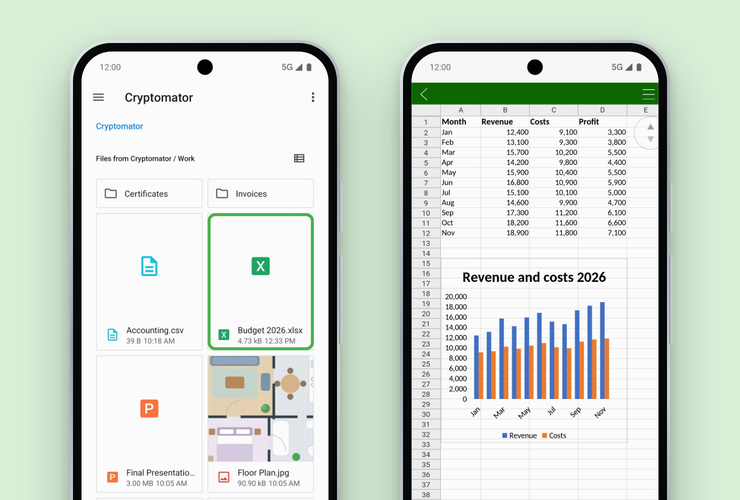
And of course, everything stays protected by client-side encryption. Files are encrypted on the device before they reach the cloud, whether that’s Dropbox, Google Drive, OneDrive, or any other provider.
📂 Vaults in the Files App
Each vault gets its own entry in the Files app. A locked vault can be unlocked right there with a tap. Images get thumbnails, so that one photo is easy to find without opening every single file.
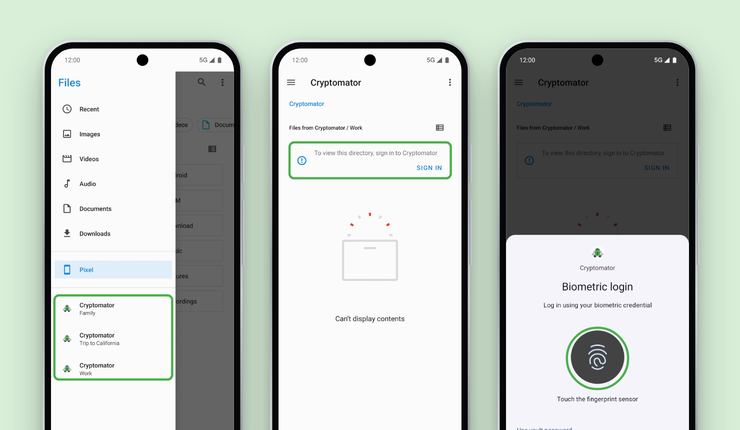
Vaults can be hidden from the Files app by turning off “Show vaults in the Files app” in the settings.
💾 Save and Keep Going
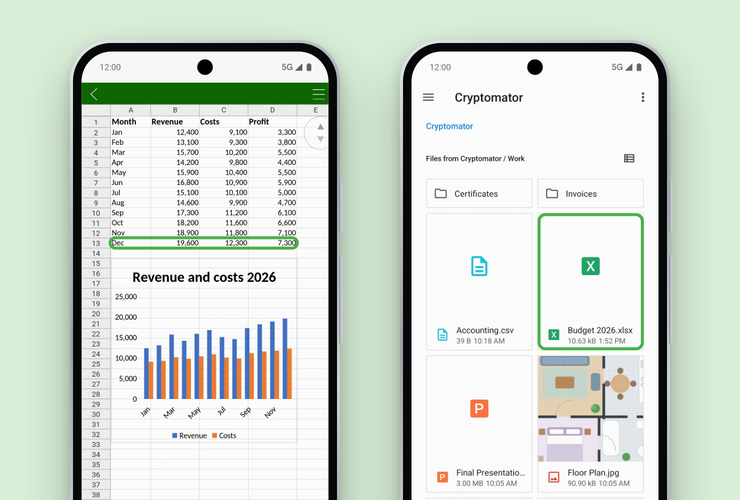
When a file is saved from another app, Cryptomator uploads it in the background. If the file was changed in the cloud in the meantime, nothing gets overwritten. Cryptomator saves the local version as a separate conflict copy instead.
🔒 Smarter Auto-Lock
“Lock after” now counts from the last time the vault was used, including access from other apps. That way, a vault won’t lock while a document is still being edited in another app. The new “Wait for transfers” setting (on by default) also keeps the vault unlocked until running uploads are finished. “Lock all” still locks everything immediately.
⚡ A Faster In-App Browser
The in-app browser isn’t going anywhere. Vaults can still be browsed and managed right inside Cryptomator. The browser now uses the same cache as the Files app, so both always show the same state. Changes appear immediately, and upload progress shows right on each file. The in-app browser now shows image thumbnails, too.
Get the Update
Cryptomator for Android 3.0.0 is rolling out now on Google Play, and it’s also available from our website and F-Droid. As always, the update is free. Existing users just need to update the app. New to Cryptomator? The app is free to download and try out. The Document Provider is included in the free version as well, read-only just like the in-app browser.
We’re curious to hear which apps and workflows Cryptomator vaults end up in. The best places to share those stories are our Community forum and Mastodon. And if something doesn’t work as expected, we’d appreciate a report on GitHub.
Stay safe. Stay encrypted.